


When I first started traveling full-time back in 2018, getting mobile data abroad meant landing in a new country and immediately hunting for a SIM card kiosk. I’d queue at airport telco counters, swap out tiny plastic SIMs, hope they activated properly, then repeat the whole process again a few days later at the next border.
It worked, but it was a constant hassle I just accepted as part of travel.
That changed over the past couple of years. On long overland trips, like my recent drive from Greece up through the Balkans, I stopped bothering with physical SIMs altogether. Instead, I started using eSIMs. I could activate data before leaving the airport, cross borders without losing signal, and never once touch the SIM tray on my phone.
This is why so many travelers, including myself, are switching to eSIMs. They’re faster, simpler, and genuinely more practical than anything I used in my first six years living on the road. And if you’ve ever dealt with roaming fees or tried to find a SIM card dealer in a tiny border town, the benefits become pretty obvious.
In this guide, I’ll break down exactly why I believe eSIMs are becoming the future of staying connected abroad, how they’ve changed how I travel, and which eSIMs I recommend.
First, What are eSIMs?
Most of us have been living the same way with our phones for years. You pick a SIM card, sign up for a plan with a telecom company, Verizon, AT&T, Telstra, whatever, and then you’re stuck. Every month, you watch your bill creep up a little, wonder why your data is throttled, and sometimes even argue with customer support about charges you didn’t expect.
People talk about their phone plan like it’s a tribe: “Who are you with?” “Oh, I’m with Verizon.” It’s like a badge of loyalty.
The truth is, in today’s world, there’s no reason to be locked in like that. Telecom companies profit by keeping you trapped, slowly hiking rates under the guise of “inflation” or “upgrades.” Meanwhile, technology has moved on. Satellite internet is on the horizon, and eSIMs already give you the freedom to choose exactly how you get connected, just like you choose your hotel, coffee shop, or airline.
Enter eSIMs.
Instead of buying a physical SIM and signing a contract that ties you to one company forever, you can now just download an app on your phone (or even just scan a QR code) and choose a data package that works for you.
You pay only for what you need, for as long as you need it, without long-term contracts.
Here’s how they work:
- eSIMs connect to the same cell towers your phone always uses.
- Modern phones have a “digital SIM” built in that can be tuned to any provider you choose.
- There’s no plastic card, no fiddly tray, no losing your SIM in the back of a drawer.
- You can switch packa as easily as changing a song on Spotify.
- One minute you’re on a local plan in the city, the next you’re online abroad with the same phone.

My Current Favorite eSIM for Travel
The eSIM I currently use and recommend for travel is Holafly.
I've tried and reviewed many eSIMs over the years, and Holafly is my current favorite due to their unlimited package structure at decent prices. I'll continue to update my guides if I find something better than Holafly.
Tip: Use the code WESEEKTRAVEL for 5% off any Holafly package.
Benefits of eSIMs for Travelers
For travelers, eSIMs have completely changed the game. You travel for experience, freedom, adventure, and relaxation, not to deal with the logistics of staying online.
That's where I've found the value of eSIMs, the ease of getting connected in the first place.
For example, a few months ago, I thought I'd try to save some money by getting a local SIM card in West Timor, Indonesia, a country where local SIM plans are typically quite cheap.
I had to take a 45-minute taxi to a main city where the local Telkomsel office was (Grapari). I then sat in a queue for 1.5 hours before I could speak to somebody about buying a SIM card. The process then took another hour and required scanning of my passport, passport photos, and a bunch of signatures on an Indonesian document I had no idea about, then took another 45-minute taxi back to my hotel.
The total cost, including a return taxi ($25), the SIM Card itself ($5), and the monthly 100 GB Telksomsel local SIM plan ($30), was $60.
In contrast, I could have just gotten an unlimited data Holafly fly eSIM for $74 and saved a whole day of my holiday.

Yes, it’s true— in most cases, you will pay a slight premium compared to picking up a local SIM at your destination. But think about what you save in return: time, stress, and the constant running around that comes with hunting for a SIM in a new city, and in the end, when you consider the logistics involved, you're usually only saving a few bucks.
Beyond that, there are many other benefits, and clear reasons why my recent Indonesia SIM fiasco has swayed me to start using eSIMs exclusively while traveling.
- You can manage multiple numbers on the same phone, which is perfect because I keep my home country SIM as the physical SIM card so that I can still receive verification texts and important calls while traveling
- You can switch between providers instantly, so if coverage is weak in one area, you can jump to another network without swapping cards.
- Most eSIMs don’t require any personal ID or registration, meaning you can set it up anywhere, mountains, beaches, or remote villages, without hunting down a city telecom office.
- Many packages offer unlimited data usage, so you don't have to find a local top-up office when you inevitably run out of data.

Which eSIMs I Use for Travel & Why
I’ve been on the road full-time as a travel photographer and adventure writer since 2018, and for the past two years, eSIMs have been my go-to way to stay connected. Over this time, I’ve tried almost every eSIM provider out there and even written reviews for many of them.
The tricky thing is that packages change constantly. One provider might be perfect in Thailand but frustratingly slow in Italy. Coverage, pricing, and data limits can shift, so it’s worth keeping an eye on what works best for the country you’re in.
For me, my current favorite is Holafly. I love their pricing structure, you get unlimited data for a set duration, which makes life so much simpler when you’re on the move. Since I work online, upload content constantly, and often burn through data faster than expected, knowing I won’t have to top up mid-trip is a huge relief. You can use our code WESEEKTRAVEL to get 5% off your eSIM too.
That said, there are plenty of other solid options. Here’s a good starting list for travelers:
- Sim Local – Great for single-country packages with competitive rates.
- Jetpac – Easy to use and reliable in major cities.
- Airalo – Popular for light data use and short trips.
- Truely – Offers both local and global packages, good for business travel.
- GigSky – Known for solid international coverage and app management.
- Ubigi – Flexible packages and works on a wide range of devices.
Each of these has its strengths depending on where you’re traveling and how much data you actually need. For me, Holafly’s unlimited packages win out almost every time, but it’s worth exploring others if you’re traveling light or only need short-term coverage. I also change my recommendations as packages and offerings change.
How Easy Is It to Set Up an eSIM for Travel?
One of the best parts about eSIMs is how simple it is to get up and running. From my experience using Holafly (and most other major eSIM providers work similarly), the whole process takes just a few minutes, and you don’t need to touch a physical SIM card at all. Here’s the step-by-step breakdown:
1. Make Sure Your Phone Is Compatible (Most Important Step!)
Before buying anything, check that your phone supports eSIMs. Most providers, including Holafly, have a “compatibility checker” where you select your phone model. This is the most important step because eSIM companies are not perfect—they’re pseudo telecom companies, not full-service carriers. Customer support is often slow or limited, and getting a refund can be nearly impossible if you buy the wrong package. Don’t skip this!
2. Choosing Your Package
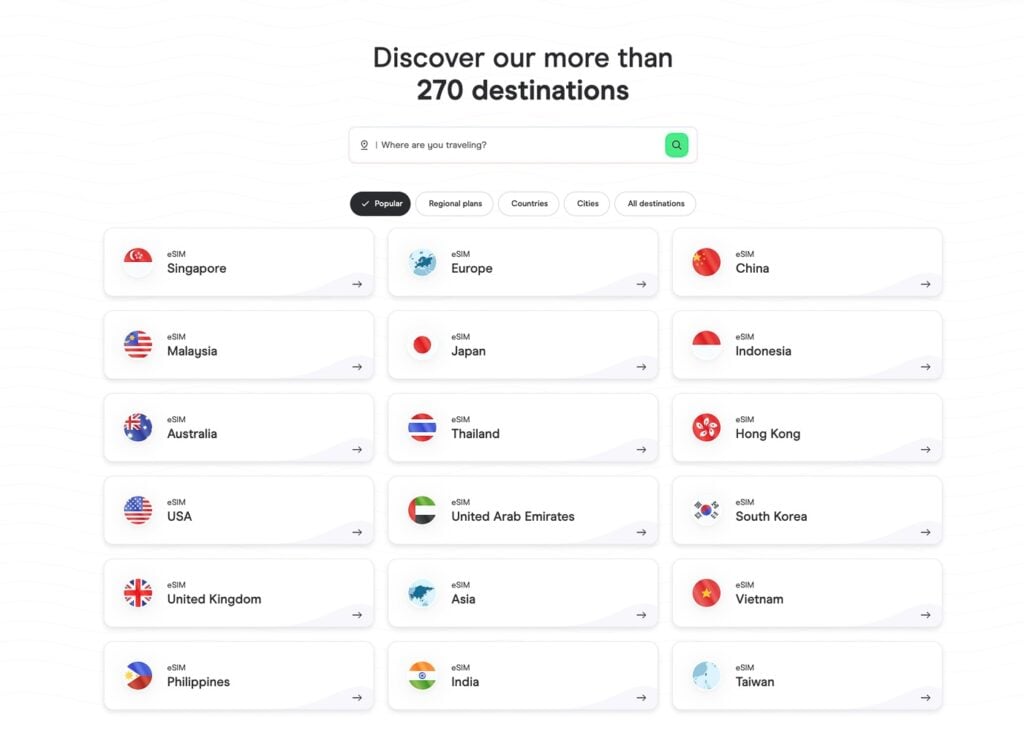
Pick the eSIM for the country or region you’ll be visiting. Once you’ve confirmed compatibility, you can browse the available packages and choose one that fits your travel needs.
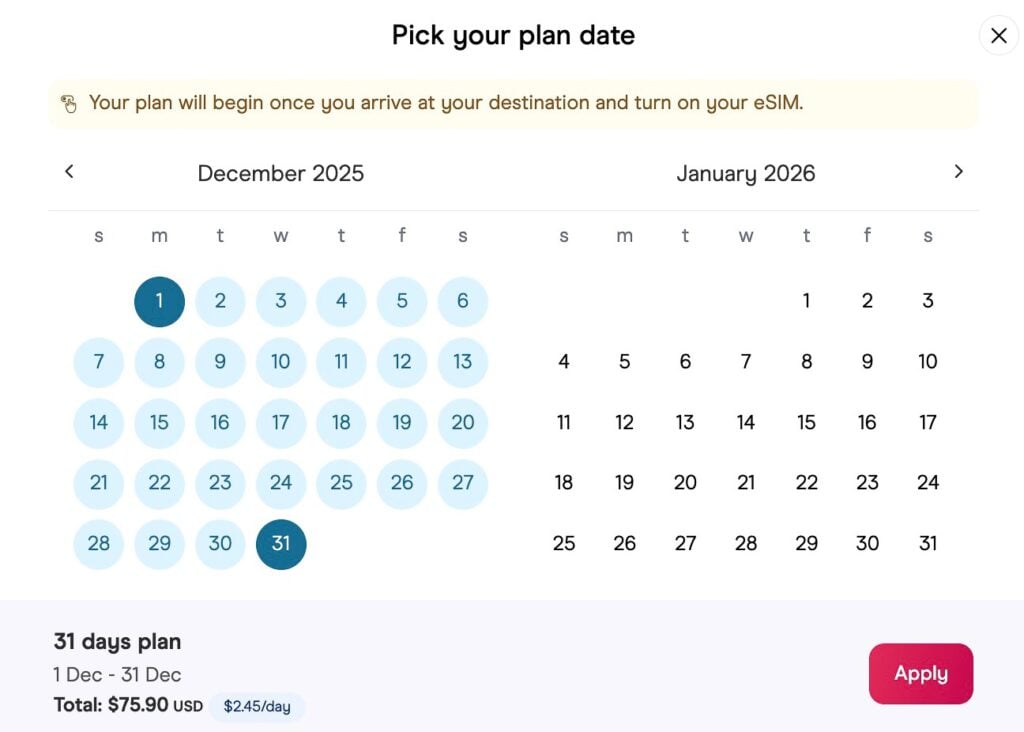
3. Payment
Checkout is straightforward, with options like credit card, PayPal, Apple Pay, or Google Pay. You’ll need to provide basic information like your name and email, but it’s nothing unusual for online purchases.

4. Discount Codes (Optional)
If you have a discount code, enter it at checkout. Holafly, for example, offers WESEEKTRAVEL for 5% off. Once the order is complete, you’ll get an email with the eSIM setup instructions.
5. Installing the eSIM
The email contains a QR code. On an iPhone, you simply press and hold it, tap “Add eSIM,” and it installs in seconds. For other devices, you can either follow the manual installation instructions or use the provider’s app. No plastic SIM, no fiddly tray, no risk of losing anything.

6. Configuring the eSIM
Once installed, you can:
- Label the eSIM so you know which package you’re using.
- Set your personal number as the default for calls and texts.
- Use the eSIM strictly for data.
- Turn off “Allow Mobile Data Switching” to avoid accidental roaming on your main SIM.

7. Confirm It’s Working
Check in your phone’s Settings → Mobile Data, switch to your new eSIM, and open a webpage. It should connect instantly. Now enjoy your vacation!

eSIMs vs Roaming
I cringe when I hear someone proudly say they’re paying $10 per day for 5 GB of roaming data, claiming it’s a “good deal.” I travel for freedom and adventure, and there’s nothing worse than being tied down by a damn telecom company.
Roaming is a dying business model. You get almost no real benefit, if you’ve ever tried it, you know the data speeds are often terrible, if you can even get connected at all, and the fees are absolutely absurd.
I get why people paid the premium for roaming in the past: convenience. But now? With eSIMs, it’s so simple to activate a package before you even leave the airport that I seriously don’t understand why anyone still bothers.
Why eSIMs Beat Roaming Every Time:
- Instant activation, no waiting for your carrier to approve international access.
- Often faster and more reliable data, because you’re connecting to local networks.
- Cheaper overall, especially if you’re using more than a few gigabytes.
- Works across borders without swapping SIMs or losing signal.
- No hidden fees, surcharges, or unexpected daily costs.
- Easy to manage multiple packages on the same device.